Deactivate Your Account
We hate to see you go. Follow these steps to deactivate your OTR Clutch account.
1. Log in to OTR Clutch
Log in to your OTR Clutch account.
2. Prepare your account
Prior to deactivating your account, you must ensure your current balance is at $0.00. We recommend also confirming no reoccurring payments are still being charged to your OTR Clutch account.
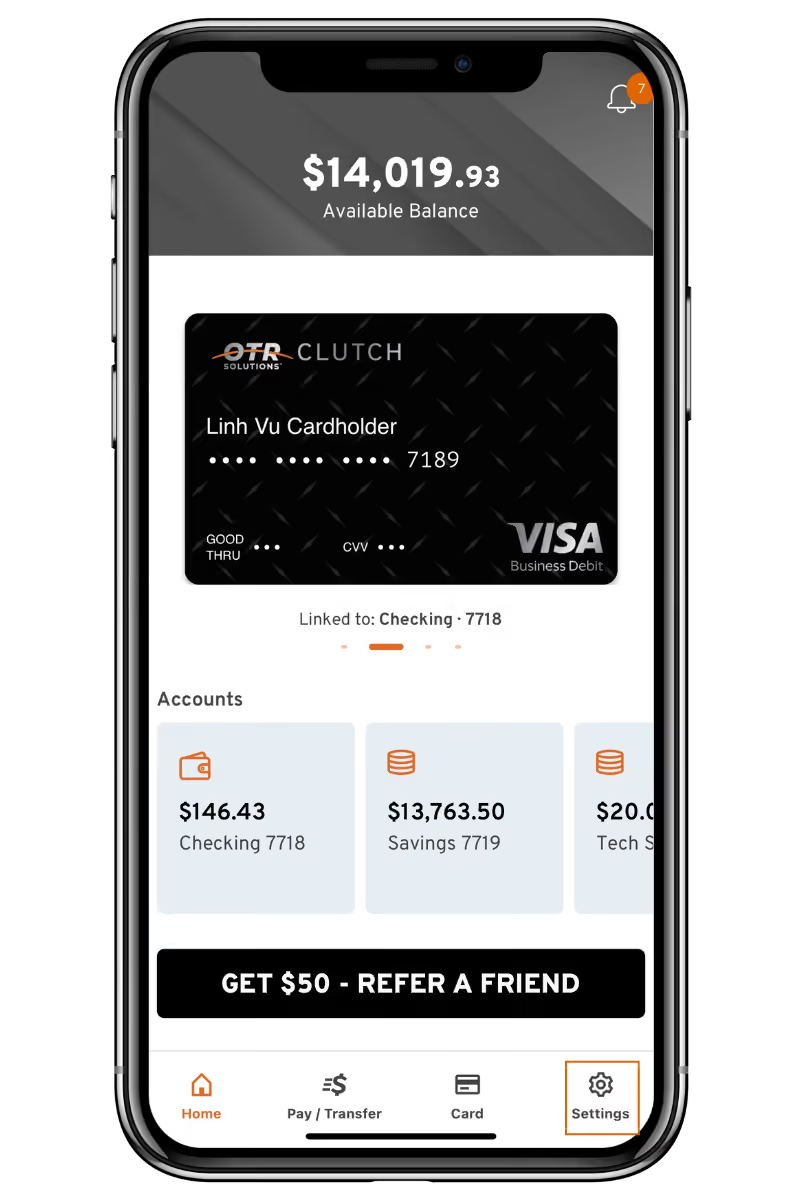
3. Open Settings
Navigate to the settings page.
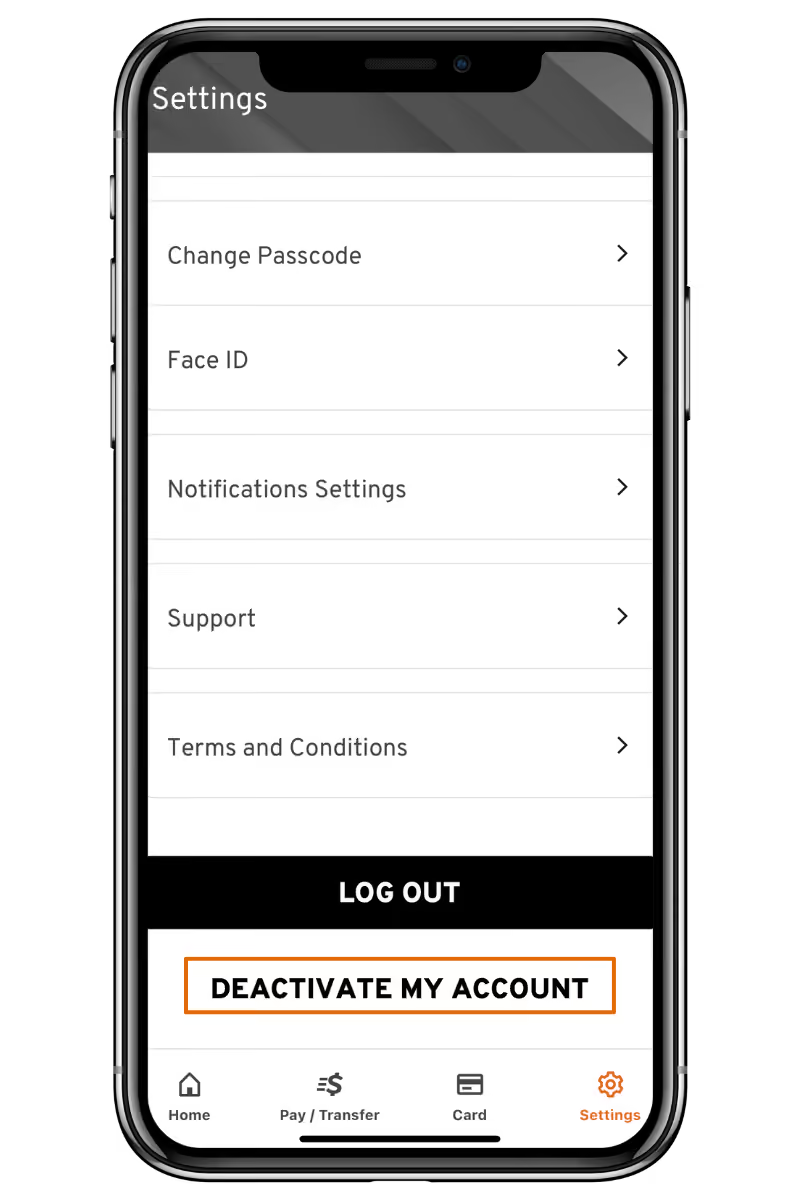
4. Select Deactivate My Account
Scroll to the bottom of the page and click “Deactivate My Account”.
5. Confirm deactivation
Once you have completed these steps and confirmed to deactivate your account, your OTR Clutch account will no longer be active, and your login credentials will no longer be valid.
